We’ve been providing a hosted FreshRSS instance at rss.32bit.cafe for a while now which is awesome which works great as a feed aggregator and the web UI is sweet for reading, but I’m curious what apps people here are actually using to read their feeds. Either alongside FreshRSS or by themselves.
FreshRSS has APIs that let you hook it up to desktop and mobile clients, so you’re not stuck in the web interface. I’m familiar with NetNewsWire, and Reeder Classic from my own usage, but I’d love to hear:
What reader app are you using (desktop/phone/other)?
How’s the sync working with rss.32bit.cafe?
Anything you’d recommend or avoid?
I’m planning to put together a quick guide with app suggestions across platforms, so your input would be super valuable.
This was discussed a year ago: What RSS Readers do you use? but keen for a fresh perspective and include any of our newer members who weren’t around for the last thread.
Tried FreshRSS in the past too, and liked it well enough, but couldn’t get my self-hosted instance to delete old entries. There were other issues, too. Might be fun to try it again sometime, with other people.
i use feeder (web & android) but well, i dont like it that much. i didnt know about the fressRSS instance, ill check it out! can you use it on android though? i mean web version works too
edit: yeah i remembered why i chose feeder, it gives you an email to subscribe to newsletters. i have 1 newsletter subscribed where i cant find its rss
A whole bunch of Android RSS readers have support for FreshRSS. Can’t hurt to try a few others and see what you like. Read You and Readrops are two of them, I think.
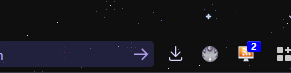
I only ever read feeds on my desktop and I used the browser extension FeedBro because I don’t have to open anything else other than my browser and I get a little notifications IN my browser so it makes it way easy to keep up with feeds.
(the 2 on the monitor is Feedbro feed notification)
No accounts, no log-ins, just a feed reader. It also has filtration features!
I don’t track a lot of RSS feeds (outside of Freetube, if you want to count that), so for now I’ve just been using Dreamwidth as a feed reader. Tentatively interested in trying the 32BC FreshRSS though.
I’m self-hosting my own instance of Miniflux, which also supports Google API. On desktop, I read feeds directly from logging in to my Miniflux instance, while on Android I use Capy Reader to read feeds, by fetching feeds from my Miniflux instance via Google Reader API.
I use Fluent Reader. I have a tendency to let my RSS feeds get out of control, and I’m prone to internet addiction, so I only use it on desktop. I prefer not to use a web reader, although I’ve played around with a lot of different options. Fluent Reader also works for me because it keeps all posts/articles in-app, so I don’t get distracted by aimlessly browsing.
I mainly use fluent reader, I like that it has an integrated web browser. And newsflash on my Linux machine. Although I “sync” between them by manually copying OPMLs across every now and then
I’ve never used FreshRSS before. Am I understanding correctly that it’s main function is to let me sync my subscriptions across different clients?
I use NetNewsWire (but only on my iPad). It’s the best reader I’ve used, as far as formatting goes. Some other readers I’ve tried don’t play nicely with footnotes, but NNW doesn’t have that problem. I also like it that the app isn’t constantly trying to shove AI summary features down my throat.
It’s a relatively lightweight feed reader with all of the features I find useful but none of the extra fluff. The most interesting thing to me is that it’s chronologically oriented, so there’s no thumbing through specific feeds which means content comes at you like a fire hose (depending on how many feeds you have haha…).
I don’t really read RSS because there’s no way I’ve found to really be able to tell if a page has an RSS feed in the first place. For whatever silly reason, browsers decided to bury that a while ago
Any other Safari users using an extension that’s any good?
Yeah that’s not a solution that works for me especially as I’m often on mobile.
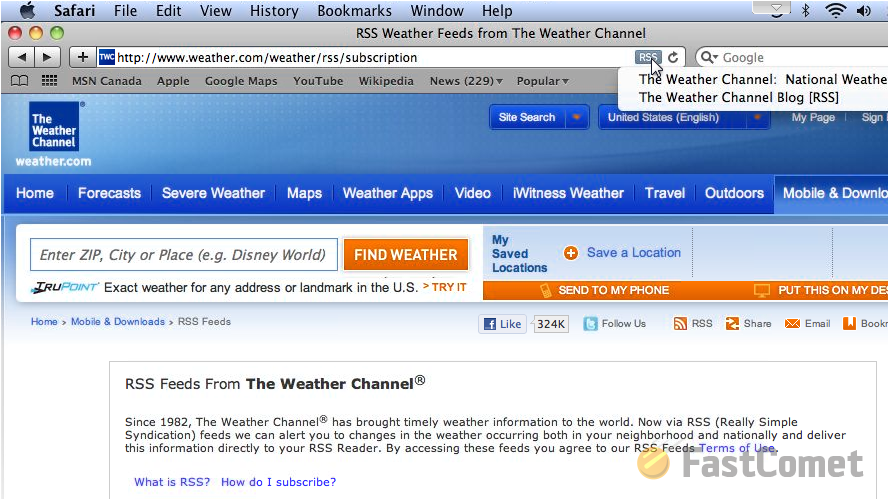
We used to just have a button that would appear in the browser when there was an RSS feed. A little orange icon in Firefox or just “RSS” in a little blue box in Safari.
There are a couple different extensions which are trying to bring this back and I’m sure far more options for both Firefox and Chromium browsers. I’m surprised some of them don’t include something like that by default.
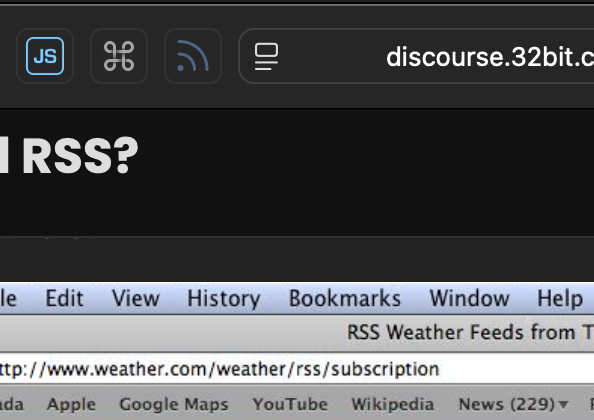
It seems like this is something NetNewsWire has recently added. To enable it in Safari, go into settings and head to the extensions tab. There you’ll find the “Subscribe to Feed” extension which adds a button to the toolbar. It’s not perfect but it does seem to be working.