Yes, this is one of its capabilities. You use it as a feed aggregator, managing and organising all your feeds. It provides an API endpoint that is compatible with a lot of feed reader apps that you can point at it and read, sync, and manage your feeds with.
It’s not necessarily an extension, but, vore.website has a function where you can point it to a website and it pulls the feed from that site (and I’ve found it to be pretty reliable). It’s called finger, vore.website/finger, and you can access it via a mobile browser.
How do you know when a site has a feed before you submit it? Most sites don’t have a feed these days.
What do you mean? The whole point of that tool is to see if it can autodetect any feeds on a page. You can also look in the page source to figure it out, but sites with newsfeeds usually advertise them visibly as well.
2 Likes
It’s pretty much a spray and pray. The feed reader will tell you straight away whether there is a feed or not.
Shouldn’t need to try to autodetect or check the page source. How do people check the source on mobile anyway? The browser should just tell you like they used to.
I’m glad to see the NetNewsWire extension adds a button back to the browser.
I added an RSS feed to Libre.fm last night. Libre.fm
Sure, browsers should just tell you, and they used to. Unfortunately they all removed this functionality years ago, despite public outcry. Like I said, look for publicly advertised newsfeeds. Lots of websites put a link in the header, footer, menu and so on, often with the well-known orange icon. Failing that, copy-pasting the page link into a feed reader is still an option even on mobile. You just need one that can autodetect feeds (not all do).
2 Likes
I’m not sure whether this is new or whether it’s been there all along and I just noticed it, but Vivaldi displays a little icon in the address bar when a page provides RSS feeds. It also has a built-in feed reader, so you can add feeds to its reader by clicking the icon.

4 Likes
That’s a damn nice feature 
1 Like
I use elfeed in the Emacs text editor.
I don’t recommend it unless you’re already neck deep in Emacs!
Not sure if it’s had a mention yet, but I’m using Artemis by @capjamesg . I use it on both desktop and mobile. I have it saved as a web app on my phone which makes it super convenient to access.
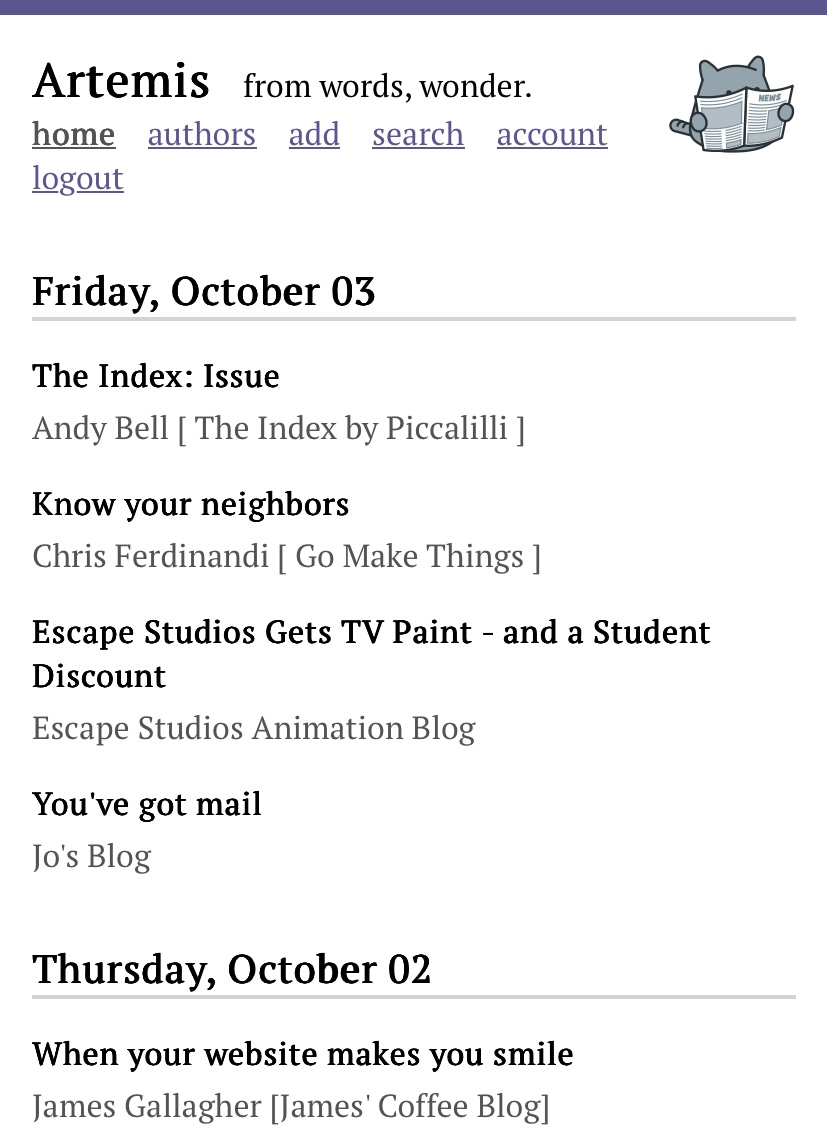
I like that it’s specifically designed to be unobtrusive. I was previously using NetNewsWire - and was happy with it - but seeing how many feeds I still had to read added a layer of stress to my experience.
Artemis also opens the actual website, rather than a parsed version of it. I thought that I’d prefer the latter, but actually it’s such a joy seeing the creativity people put into their personal websites.
One customisation I’ve deliberately made is to rename my feeds with the author’s (public) name or pseudonym. This just adds a nice feel of following people, not feeds 
3 Likes
i personally use feeder since i like how it has folders to organize everything; i follow some gaming news sites and those post basically every day vs my neo neighbours who post much less frequently, so i can control checking those out without getting overwhelmed
i also like that it has an ios app so i just have an account i can check on browser or my phone
1 Like
Just to add (since I haven’t seen anyone mention this one before in the thread) but I use Inoreader, the free tier. It’s been pretty solid for me, since I hop from a desktop PC to my iPhone to my tablet. The app just works and I can share my RSS folders with others/embed it. I like it a lot.
Interesting! I haven’t tried Vivaldi yet. Opera has a similar feature, and on Firefox you can use the addon Livemarks to read rss feeds.
1 Like
I use NetNewsWire on my laptop and tablet and still use Feeder (not Feeder.co) on my Android phone, even though it doesn’t support FreshRSS to my knowledge.
1 Like
Not using it, just sharing:
I might be one of the few people who prefers the new Reeder’s timeline syncing. The old way seems too much like checking email.