Added table of contents to each tab section of my links page to make it easier to browse my link collections.
2 Likes
I’ve updated my contact page.
1 Like
My eyes were not prepared for that neon green on black background hahah
Set to dark mode, are we?
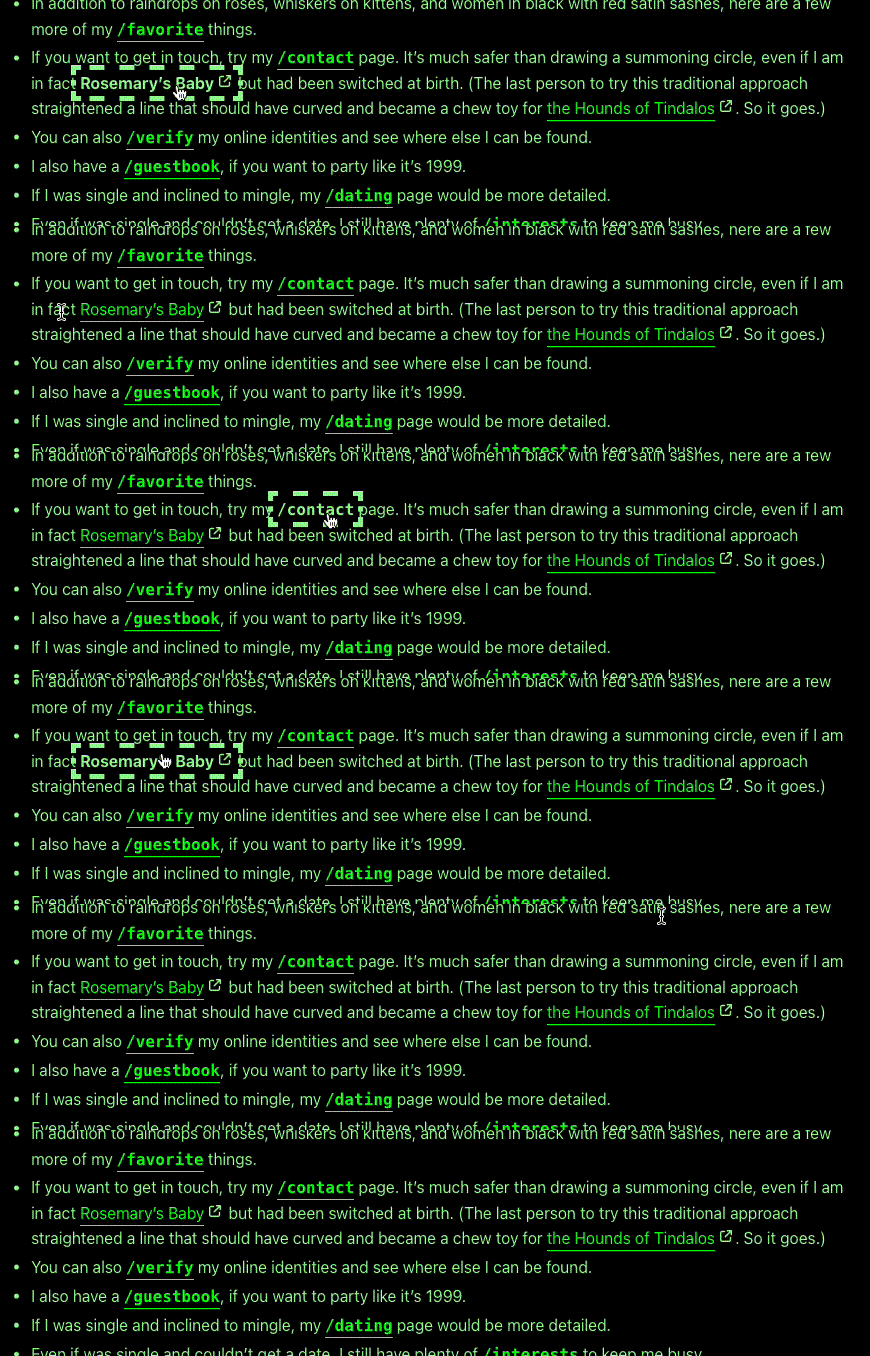
Correct. Not sure if this one was already on your to-do list but some links seems to have a minor bug. I see that most links are bolded but some are not and when you hover them, the change from regular to bold causes layour shift which is quite annoying IMO
1 Like
That should be fixed now. Might just need a hard refresh to clear the cache.
And we’re not doing green on black any longer, either.
But if anybody objects to white on black, I’ll change white to yellow and have the site autoplay old Stryper songs when the browser is set to dark mode.
1 Like
I’ve been busy yesterday.
To start with, I’ve updated my main grimoire (blog) page since I’ve got post topics working.
If you click one of the little “filed under” links, it’ll take you to the appropriate anchor on my topics page. Topic listings are in my posts’ metadata, and I process them using shell scripts, sed, and awk.
The entries archive now has a table of contents. As with the topics page, I’ve got a multi-column TOC using CSS grid.
And because I always want it darker, I’ve added a /testament page, which was inspired by a post on Ava’s Bear blog called “Plans for Your Blog After You Die”.
And I’ve pulled over my /now page from the old version of my website.
1 Like
Did some minor work on my menu bar to make it less ugly on mobile and tidied up a few pages.
I wanted to add a hamburger menu for mobile but it seems I’d have to add js to responsively load specific menus per screen size and that just seems excessive so nah.
I’m working on replacing my main layouts and implementing pagination for list pages (read: looking through the Hugo docs and mashing my hands against random keys until it works)
Also updated my colour scheme, edgy red is out, I’m in my yellow arc now.
2 Likes
My website uses the HTML popover attribute to create a hamburger menu for mobile, so I don’t need JavaScript to create a responsive hamburger menu.
You may refer to my website for how to implement a responsive hamburger menu with popover if you want to.
Another method to create a responsive hamburger menu without needing JavaScript is using the <details> and <summary> elements. Kalechips has a code snippet for it:
However, as Kale pointed out on the page, while JavaScript isn’t needed for the basic functionality, JavaScript would be needed to improve the accessibility by allowing visitors to close the hamburger menu with a keyboard. I chose the popover method because it also allows visitors to close the popover element with keyboard or just clicking outside the popover without JavaScript.
4 Likes
you don’t need javascript to have different things for different screen sizes! you can use css only! for example –
.specificmenu1 {display:none;}
.specificmenu2 {display:none;}

@media only screen and (max-width: 800px) {
.specificmenu1 {display:inline-block;}
}

@media only screen and (max-width:500px) {
.specificmenu1 {display:none;}

.specificmenu2 {display:inline-block;}
}
3 Likes
@Frankie, I just want to add to what @xixxii already said: Since you can target different screen sizes in pure CSS, it’s really easy to create a stylesheet that works on smartphones, tablets, laptops, and desktops.
Here’s what you do:
- Start with stuff you want on all devices.
- Add a media query for tablet screen sizes, and add layout suitable for such devices.
- Do the same for laptop screen sizes, reusing class names to override previous styles.
- Now do the same for desktop screen sizes.
If you can take advantage of the cascade in Cascading Style Sheets, it can be easy to create a mobile-first, responsive stylesheet that provides progressive enhancement for bigger screens.
It’s how I implemented a multi-column layout on the current version of my site, but only for laptops and desktops.
3 Likes
I’ve implemented templates and partials for post series, a way to serialize fiction in my blog/grimoire without cluttering up the RSS feed every time I add an installment.

Thanks for sharing that!
I’ve been meaning to pick up the guitar again, but that skill degradation from not playing for many years is kind of a bummer. Plus I’ve got a nice guitar, and it feels like I need to put on fresh strings and probably give it a lot of love before I’m “allowed” to even start playing it again…
Excuses. You’ve inspired me. Tomorrow I’ll do it!
3 Likes
Didn’t do anything on my site specifically but I moved all my sites on a different VPS. Same provider, same price, different location (from the US to the EU) and different architecture since this new one runs on Arm and I was curious to test it out.
2 Likes
i adjusted line-height and letter-spacing on blog.hypertext.city
i find both of these properties useful for my low vision, perhaps you may find them helpful too when reading my blog in the future
the blog caches posts so you’ll probably need to clear your cache when refreshing to notice changes
2 Likes
added swatch internet time! for a few days now i had a clock with my countrys time on my website, now alongside that swatch time is also displayed!
I’ve set up a new blog for more loosely-organized thoughts and posts over at smol.hedy.dev.
the service I use is pretty minimalist and doesn’t allow any sort of templating or advanced customizations, but I’ve managed to use CSS only to turn an ordinary looking table of the posts to be displayed in this style, inspired by @manuelmoreale’s blog post lists!

powered by flexbox and pseudo elements :)
6 Likes
i’ve spent the majority of last week working on emma’s place and feel it best to release it as i need to give myself a little break.
there are still some things i’d like to do such as
- add a guestbook
- mobile layout
- js for enlarging images
these can come at a later date as i need to be careful not to sabotage the work i’ve done now and potentially keep myself from ever releasing something i’ve been very excited to share
2 Likes
Very nice! I like your website already, Emma. 
1 Like
I’ve been working on splitting my long fictions into a chapter a page, and came up with a shell script to do most of the work.
Given a chapter number, this script will extract its text into a separate HTML file and create a metadata file that also sets up links to previous and subsequent chapters while giving me a chance to review the text before prompting for a summary.
#!/usr/bin/env bash

SERIAL_PATH="${1}"
FILENAME="${2}"
CHAPTER="${3}"

NEXT_CHAPTER=$(echo "${CHAPTER} + 1" | bc)
PREVIOUS_CHAPTER=$(echo "${CHAPTER} - 1" | bc)
CHAPTER_DIRECTORY=$(printf "%s/chapter-%03d\n" "${SERIAL_PATH}" "${CHAPTER}")
NEXT_CHAPTER_DIRECTORY=$(printf "chapter-%03d\n" "${NEXT_CHAPTER}")
PREVIOUS_CHAPTER_DIRECTORY=$(printf "chapter-%03d\n" "${PREVIOUS_CHAPTER}")
CHAPTER_LINE=$(grep -n "Chapter ${CHAPTER}<" "${FILENAME}" | cut -d':' -f1)
NEXT_CHAPTER_LINE=$(grep -n "Chapter ${NEXT_CHAPTER}<" "${FILENAME}" | cut -d':' -f1)
FIRST_LINE=$(echo "${CHAPTER_LINE}" + 1 | bc)
LAST_LINE=$(echo "${NEXT_CHAPTER_LINE}" - 1 | bc)

if [ -z "$NEXT_CHAPTER_LINE" ]
then
    sed -n "${FIRST_LINE},\$p" "${FILENAME}" | fmt 262144 | sed -f clean-html.sed > "${CHAPTER_DIRECTORY}/index.html"
else
    sed -n "${FIRST_LINE},${LAST_LINE}p" "${FILENAME}" | fmt 262144 | sed -f clean-html.sed > "${CHAPTER_DIRECTORY}/index.html"
fi

cat <<EOF > "${CHAPTER_DIRECTORY}/index.txt"
PAGE_TITLE="Chapter ${CHAPTER}"
PAGE_DESCRIPTION="__SUMMARY__"
PAGE_CREATED="Tue, 19 May 2009 23:58:00 +0000"
PAGE_MODIFIED="$(gdate --utc --rfc-822)"
PAGE_TEMPLATE="serial"
PAGE_PATH="../../../.."
PAGE_EXTERNAL_LINK=""
PAGE_PREVIEW_IMAGE="assets/images/artnouveau.jpg"
PAGE_PREVIEW_ALT="Art Nouveau style promo art for the Starbreaker saga by Sara McSorley"
PAGE_PREVIEW_TYPE="image/jpeg"
PAGE_PREVIEW_HEIGHT="1102"
PAGE_PREVIEW_WIDTH="800"
PAGE_SERIAL="Starbreaker (2009 draft)"
PAGE_SERIAL_INDEX="starbreaker-2009/index.html"
PAGE_SERIAL_PREV="Chapter ${PREVIOUS_CHAPTER}"
PAGE_SERIAL_PREV_URL="starbreaker-2009/${PREVIOUS_CHAPTER_DIRECTORY}/index.html"
PAGE_SERIAL_NEXT="Chapter ${NEXT_CHAPTER}"
PAGE_SERIAL_NEXT_URL="starbreaker-2009/${NEXT_CHAPTER_DIRECTORY}/index.html"
EOF

echo "Please review chapter ${CHAPTER} of Starbreaker (2009)..."
read -n 1 -s -r

cat "${CHAPTER_DIRECTORY}/index.txt" "${CHAPTER_DIRECTORY}/index.html" | less

echo "Please summarize chapter ${CHAPTER} of Starbreaker (2009)..."
read SUMMARY

sed -i -e "s/__SUMMARY__/${SUMMARY}/" "${CHAPTER_DIRECTORY}/index.txt"
3 Likes