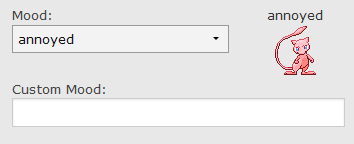
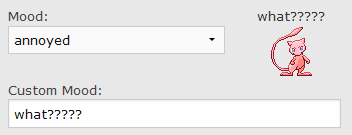
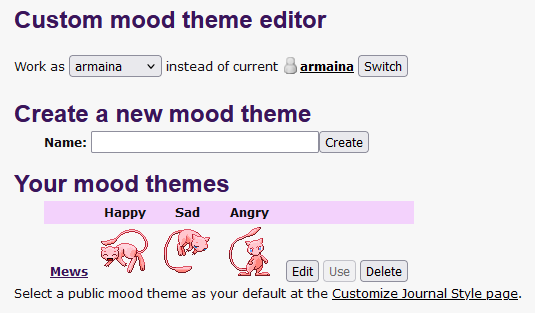
that is correct, that is how it worked. This means that Livejournal (and its forks) had a hard-coded mood list and server-side icons paired to each mood (with the ability to choose a mood and override the mood text if you wanted a custom mood description.)
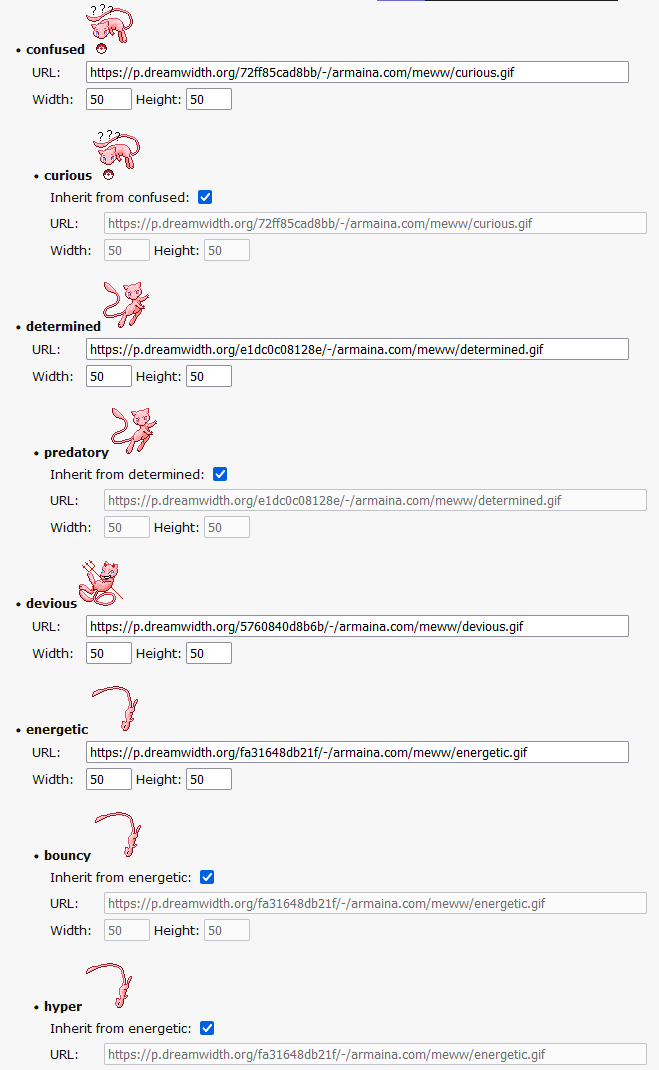
If it helps, here are some screen caps of the interface on Dreamwidth, a livejournal fork.
There were a few core ‘parent’ moods that other moods could inherit from.
Personally I find this rather antiquated and tedious, as it would require one to try to come up with as many mood descriptors as possible and pair these parent/child tiers while still also accommodating a custom field. It would be much simpler to forego the hardcoded description list and instead have an image pack, choose an image, and then write the mood for it. Much like how we can choose the icon to attribute to a title on the forum.
Maybe I don’t have this so backward after all. Should mood be something different from the emoji on a post? Right now I’m just using the same thing for both, and whatever you’ve set as your mood automatically gets attached to your post as the emoji. But maybe it makes more sense for a mood to be a separate thing from the post decoration. “Today I feel good (happy face near username). This post is about my cat (cat face next to post timestamp).”
So, from my perspective, picking an emoji on a post doesn’t make much sense because I can just.. add an emoji.. with my keyboard like
But if you have a unique mood field like some blogs do then you can make a mood field and an emoji image choice selection to pair with the text. That way people can best describe the word with the image they think suits it best, and would also allow space for a custom image attachment.
That makes sense. I think I’ll remove the post mood feature. I noticed it on status.cafe after I’d set up the initial feed, so I added it, but I don’t really like the way they clutter the feed and it’s introduced this weird action-at-a-distance behavior when someone posts something.
I have to do a little thinking about how to pull off the mood images, but I’ll give it a go. It sounds like this is something a lot of people are interested in - or at least expect from something like this.
I agree that it should be simple and I’d also like to avoid having to manage a predefined list of moods. I don’t think what I currently have supports it all that well, but that’s why it’s still in the 0.x.y stage.
So for me, personally, I don’t think the mood input is important, but that’s because My use-case is for an update feed for my website, not a pseudo-social-media replacement. So for me, and anyone else like me, our requirements are a bit more practical. (and as I mentioned before, if I wanted to add a mood, I can do so in the text itself, a dedicated field is IMO, unnecessary)
Buuuut the nice thing about putting it on a git is that if someone else has the knowhow to make it work smoothly with it’s intended purpose as an RSS feed they could offer up some code to incorporate.
I tried this a few days ago, and couldn’t get it working.
I run my websites on a Synology NAS. I set up a web service(through Synology’s web station) with nginx and php 8.2. I extracted the tkr files into a “tkr” folder. I gave the “storage” folder read and write permissions. I set up a subdomain and pointed it to the folder. I edited the init.php file with my subdomain as base_url and base_path set to ‘/’. I set the document root to tkr/public.
But when I go to the subdomain, it doesn’t do the set up. It gives me a blank page, no error or anything.
Thanks for trying it out. I hadn’t even thought about running it from a NAS. There’s almost surely a prerequisite or some other difference between the environments that I didn’t account for.
I’m away from computers until next week, but when I get back I’ll look into it.
I’ve changed my plan for the 1.0 release. I’m going to set the mood to the side (after removing it from posts again) and just focus on the core functions: installation, logging (so it’s easier to diagnose this kind of problem), posting, managing posts, atom + rss feeds.
I’ve spent the last few evenings simplifying tkr and working on the initial installation.
I’m wondering whether the sqlite PHP extension isn’t installed by default in Synology WebStation. I’ve been bit by that in a couple environments the last few days, but I’d been assuming it would be there. That would certainly be a catastrophic setup failure.
Over the weekend, I hope to get that prerequisite check working and get some better logging in place so it’s easier to diagnose both setup and runtime errors.
I’ve removed the tick-level moods. Now there’s just the user-level mood in the profile.
I’ve also scrapped the flat file database and moved everything into SQLite. @armaina, I know you’d initially said you were looking for something that used a flat file database. I hope this doesn’t make it unusable for you. I just keep finding myself solving problems that databases already solved, so I switched over to what I know. At least with SQLite there’s no database configuration or anything like that.
Once those diagnostics are in place, I’ll tag another release. I’m going to end up making some breaking changes, but I suspect I’m the only person using it right now, so hopefully that’s not a big deal.
Not unusable I just have to install SQLite support to my VPS. But it helps that I don’t have to have a whole management system like mySQL or PostgreSQL requires.
addendum: the reason why I was seeking a flat file database is so that I can just drop the whole directory into a new server and have it working without any additional set up. (VS my experience with mySQL where I have to set up mySQL, log into it, make the database, make sure the passwords and name is exactly the same as the it was on the last setup, before I can hope to get it to run.) If a SQLite database can be moved and utilized as easily as a flatfile database like a CSV file, then that’s what matters to me.
Perfect. That’s exactly the problem SQLite solves. The database is just a single file (for tkr, it’s at storage/db/tkr.sqlite). There’s no server, nothing listening on any port, no accounts to configure or anything.
The first time you use tkr, it silently creates the database file, so there’s no user interaction of any kind with the database. You can copy it to another location or another server and keep using it. So if you wanted to move to another server, you could just copy the whole tkr directory over and it will work.
v0.7.6 is released. It includes much more thorough prerequisite validation. There’s now a command-line script at tkr/check-prerequisites.php that you can run with php tkr/check-prerequisites.php to validate the prereqs. It generates a report that looks like this:
tkr prerequisite report output
# php tkr/check-prerequisites.php
=== tkr prerequisites check started at 2025-07-28 01:56:03 ===

🔍 Validating prerequisites...

[✓] PHP Version: PHP 8.2.28 (meets minimum requirement of 8.2.0)
[✓] PHP Extension: PDO: Available
[✓] PHP Extension: pdo_sqlite: Available
[✓] Directory: config: Present - Configuration files
[✓] Directory: public: Present - Web server document root
[✓] Directory: src: Present - Application source code
[✓] Directory: storage: Present - Data storage (must be writable)
[✓] Directory: templates: Present - Template files
[✗] Root User Warning: Running as root - permission checks may be inaccurate. After setup, ensure storage/ is owned by your web server user
[✓] Storage Permissions: storage: Writable (permissions: 0755)
[✓] Storage Permissions: storage/db: Writable (permissions: 0750)
[✓] Storage Permissions: storage/upload: Writable (permissions: 0750)
[✓] Storage Permissions: storage/upload/css: Writable (permissions: 0750)
[✗] Web Server Test: Cannot test web server configuration from CLI - run via web browser
[✓] Configuration File: config/init.php exists and is readable
[✓] Base URL Configuration: Set to: http://localhost
[✓] Base Path Configuration: Set to: /tkr/
[✓] Database Directory: Writable - can create database
[✓] Database File: Exists and is accessible
[✗] PHP Extension: mbstring: Missing (recommended) - mbstring
[✓] PHP Extension: fileinfo: Available
[✓] PHP Extension: session: Available

============================================================
PREREQUISITE CHECK SUMMARY
============================================================
Total checks: 22
Passed: 19
Errors: 0
Warnings: 3

✅ ALL PREREQUISITES SATISFIED
tkr should install and run successfully.

⚠️  WARNINGS:
  • Running as root - permission checks may be inaccurate. After setup, ensure storage/ is owned by your web server user
  • Cannot test web server configuration from CLI - run via web browser
  • Missing (recommended) - mbstring

📋 ROOT USER SETUP RECOMMENDATIONS:
After uploading to your web server,
make sure the storage directory is writable by the web server user by running:
  chown -R www-data:www-data storage/     # Debian/Ubuntu
  chown -R apache:apache storage/         # RHEL/CentOS/Fedora
  chmod -R 770 storage/                   # Ensure writability

📝 Full log saved to: /var/www/tkr/storage/prerequisite-check.log
=== Check completed at 2025-07-28 01:56:03 ===
The check also runs before each request and will display errors if things are missing or misconfigured.
The only thing that needs to be installed to run the script is PHP. The web-based validation also needs a web server. So, as long as you have a web server with basic PHP support, you should get validation errors instead of a blank screen. Or you can run the script.
I added tests to confirm that the script works as intended on debian-based, fedora-based, arch and alpine linux distributions, so it should support any of those environments.
I’m going to freeze the features here until 1.0. It provides the web feed, an RSS feed, and an Atom feed. It supports some basic personalization (name, site title and description, moods, custom css). Between now and 1.0, I’m going to focus on polish: testing for all the critical paths, logging, improve the docs, etc.
Almost finished! I just published v0.9.0. This is the last code update (barring testing bugs) for the initial release. Now I just need to make sure the initial setup still works in standard configurations and update the docs to reflect the current state.
I’ve been doing a lot of streamlining and simplifying so I decided not to keep updating here for each new release. New things since my last post are:
Added a bunch of logging and a log viewer so it’s easier to see what’s going on
Added a true setup script and eliminated the need to edit files for first setup (can setup either from the script or through the browser)
Added tests for the rss and atom feeds
Simplified and standardized the code
Simplified the initial setup
Significantly simplified the web server configs
Added the ability to delete recent ticks and a setting to configure the amount of time a tick can be deleted
I went back and forth on that last one, but I figured it’d be nice to have a way to quickly fix a typo or to change your mind about posting something. This was a way to do that without having to actually build an edit function, which felt excessive.
I’m planning to do some installation tests and update the docs over the next couple days and then I’ll tag it 1.0.
If I haven’t lost everyone, thanks for sticking with me. I perhaps bit off a bit more than I could chew and I definitely overcomplicated it a few times, but it’s coming together.
[EDIT] I forgot - I’ve updated the playground version to this release if anyone wants to give it a try. Test tkr.
I’m really excited about this. Thanks again for the idea and the excuse, @armaina . And thank you all for the feedback and suggestions. I’d like to have done a bit more with the mood images, but that was turning into too much of a rabbit hole. I’ll look at that again now that the core application is done.
I’m sure I’ve missed some things and there will be some bugs, but my wife and I have been using it pretty regularly and it seems solid. Of course, now I’ve jinxed it.
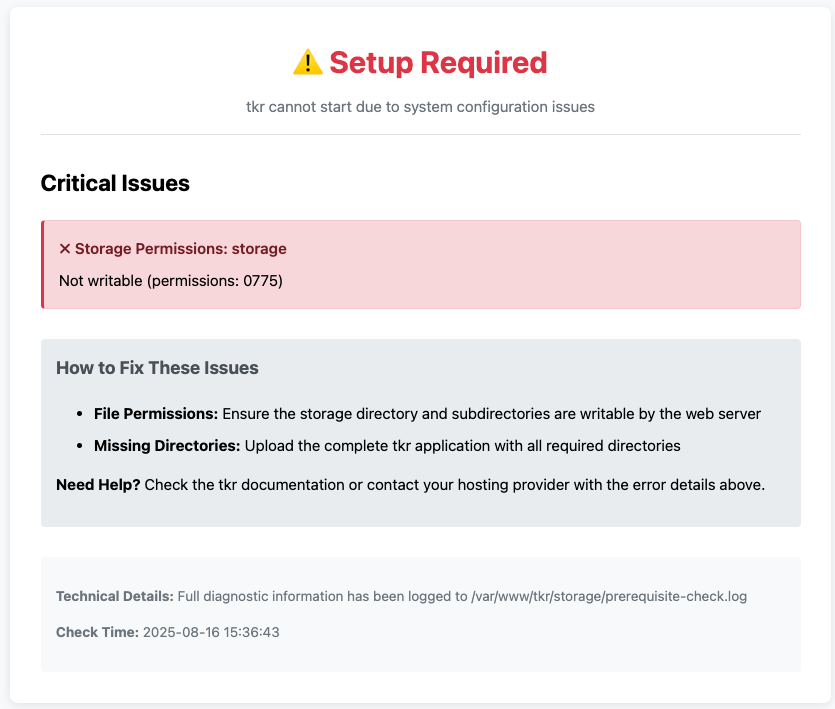
I’ve been doing a lot of simplifying, polishing, and testing this week. I’ve installed it with both good and bad server configs to make sure that it doesn’t just fail to a blank screen. If there are missing prerequisites now, you’ll get a report like this.
I’ve updated the README to reflect the current state of the app. Please let me know if the instructions are confusing, inadequate, overdone - whatever. I used the FreshRSS docs as motivation, but I’m not sure if I’ve hit the right balance.
I’ll do my best to fix bugs quickly, but otherwise I’m going to take a little tkr break. It’s been a ton of fun and I’m happy about it, but I’m also looking forward to writing some blog posts again and dusting off that v2 attempt of my site.
And thank YOU for all this incredible work you’ve put into this! And for everyone else that pitched in!!
Also bless you for adding concise error messages, that is so rare to find on installers!!!
You’re welcome! I hope it does the job. If you give it a try (no rush, no pressure) and you feel like it needs something, just let me know.
I’ve spent so much of my life digging through logs and puzzling through mysterious behavior. I really didn’t want to inflict that on anyone else. It was a huge bummer when ShannonKay got a white screen. Hopefully no more.
I’ve been following the AI and the Small Web topic over the weekend and have decided to add an LLM disclosure to the project README, the top post of this thread, and this post (to follow). I used Claude when I couldn’t find good answers to questions through other means. I adapted any code suggestions it made, but I definitely used it as an aid.
I wasn’t trying to pull the wool over anyone’s eyes. It didn’t cross my mind that people might object to that strongly enough to choose not to use the project. Now that I know that’s possible, I’m making it as prominent as I can.
I’ve removed the repo from the 32-bit cafe gitea instance so you don’t have to field questions or attacks about hosting LLM-assisted code. If you’d prefer that I delete this topic, I’ll do that, too (or someone with moderator power can).
LLM Disclosure
I used Claude for guidance on some portions of this. I limited it to things that I couldn’t find good answers to otherwise, and I used it as a learning tool. I’ve adapted any LLM-generated code suggestions, but if you strongly object to LLMs and don’t want any LLM-assisted code on your site, then you shouldn’t use this.
I’m not really in the business of policing what kind of code is hosted on the 32bit cafe git server as long as it’s not outright illegal or hateful, so please feel free to continue using it. It sounds like your use of AI is pretty responsible, though I do appreciate your disclosure for potential users who feel otherwise.