Remember bookmarklets? How are you using them?

I have a couple bookmarklets that I sometimes use. I am curious if anyone else makes use of these! If you have any you use regularly to make web surfing a bit easier please share them.

Some of mine:

Unfortunately I don’t know who to credit for the creation of these - they’ve been in my bookmarks bar for a long time.

6 Likes

oh cool, I will try it out!
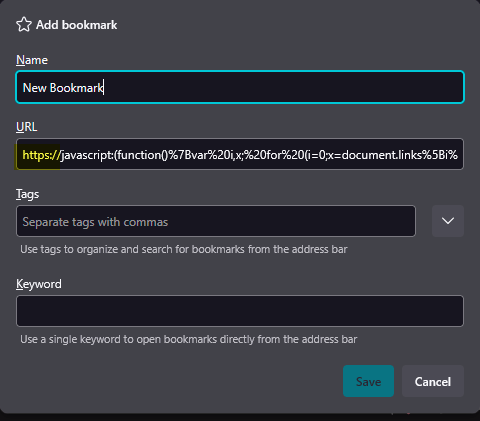
it took me a sec to realize the forum is prepending https:// on those so if anyone wants to use em you’ll have to delete this first

I use bookmarklets at work for menial tasks ( we have to log in to a lot of client sites so we got login page bookmarklets or other url modifying ones ) I realize I don’t use any at home though, it would be cool to find some new ones

1 Like

I frequently use Fount, but that’s not really helpful for surfing. Just an easier way to see what webfont a site is using without having to view source.

I really should get into using more bookmarklets though! They’re so handy.

i use one for filtering ao3! it just saves all the filters i usually apply to searches so i dont have to do them all every time i’m looking for fic. handy stuff

1 Like

I love bookmarklets!

A few that I use pretty often include:

  • forwarding a currently open site to my wife/family
  • revealing a password (so I can copy it from the page I’m on, instead of going to my browser’s settings)
  • removing UTM parameters from a link before I bookmark it
  • opening a YouTube short as a regular video (which I also shared on my blog)

And a particularly useful one at work: add 1px solid red borders to all elements on a page, to easily spot layout issues.

I also had a bookmarklet for opening a fediverse post on a different server, which I then turned into a browser plugin.

2 Likes

The main bookmarklet I use is ANDI, Accessible Name & Description Inspector.

3 Likes

I only used the imood and status.cafe updaters lol

But since including them on my start page, that’s where they live now.

I use one that FreshRSS provides that simply adds a website to FreshRSS for me

javascript:(function(){var%20url%20=%20location.href;var%20otherWindow=window.open('about:blank','_blank');otherWindow.opener=null;otherWindow.location='https://rss.32bit.cafe/i/?c=feed&a=add&url_rss='+encodeURIComponent(url);})();

And another that creates an email from input box that I can use to generate a Fastmail masked email address in the instance where a website provides an incorrect email input form
javascript: (() => {    const html = '<form><label for="email" style="display: none;">Email</label><input id="op-masked-email-helper" type="email" name="email" autocomplete="email"><button type="submit">Submit</button></form>';    document.body.insertAdjacentHTML('afterbegin', html);    document.getElementById('op-masked-email-helper').focus();})();
2 Likes