This post is for people who want to dip a toe into Linux for any reason at all.
I see a lot of posts and comments about switching to linux, and hopefully I can help, and offer some gentle humor along the way. This guide should definitely be read by those who never grew up.
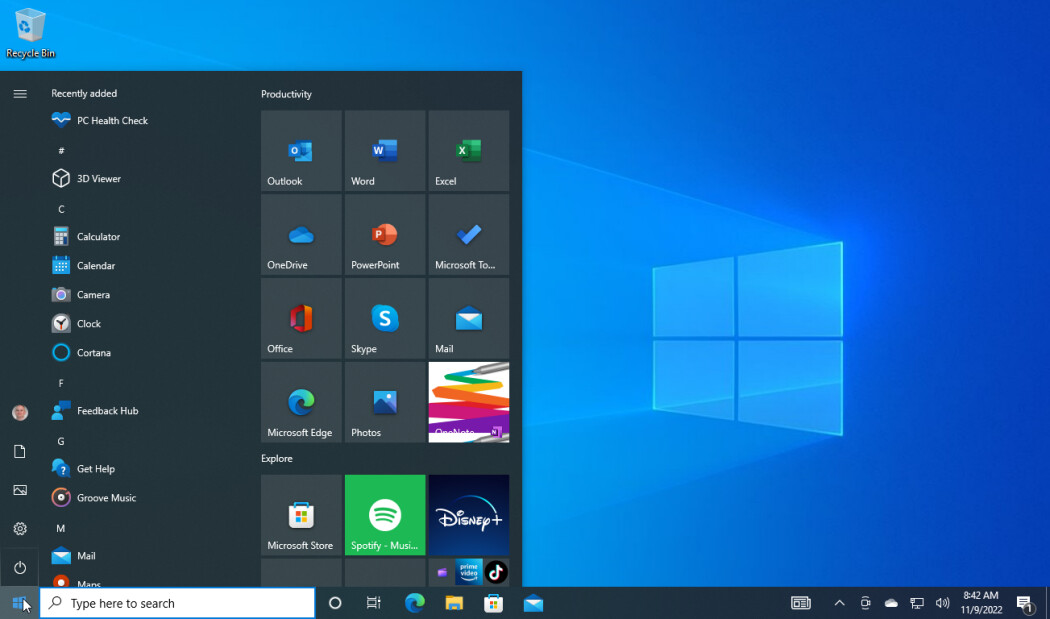
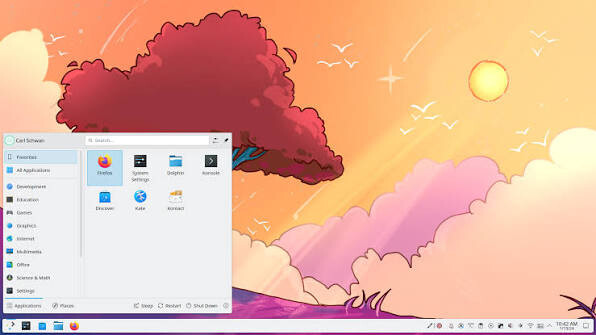
One of these is Microsoft Windows, and the other is not.
Linux is not hard. Linux is not scary. 102% of the scary is the “learning” part that other people think you need to know, but are wrong.
1: Just use the system. See, a lot of nerds on the internet want you to learn all 24 million lines code to Firefox by heart. Many people had to learn linux the hard way, back in 1994, installing from a blinking cursor, with a coffee stained tome of theoretical knowledge. I was there. Now, however, you have the benefit of things like KDE Plasma that removes as much friction as MS Windows does. Insert your usb, it shows up. Want to install , there’s a software installer. Windows open, windows close, files save, music plays, the internet works, just the same. Use the system.
That’s the important distinction, see, Windows is not a bad operating system once you strip all the corporate nonsense, telemetry, friction removing, billion user base common convention away. The kernel is every bit as robust as the linux kernel. The thing that gets in the way is everything else - AND someone making decisions for you.
Just use the system.
On Linux, you have to choose, and it doesn’t matter. People have their favorites, their go-to’s, their histories and personal opinions. There are 1000 different “distros” to choose - even a newly released Hanna Montana Linux! The point is, the choice doesn’t matter. People will say it does, it doesn’t. It matters for them in their specific use case of needing to be able to nativly run a dead language compiler in 18 virtual machines inception style. Nay, you just need to use wordstar.
Just use the system.
So what do you pick?
Kubuntu
Why those?
It literally doesn’t matter. There are millions of users, all of your problems have been solved, there is support. If you need a specific recommendation to run on that one laptop from 1989 with the 9 Megabytes of ram, we got you fam, it aint on the above list. BUT - If you have anything made in the past score years or so (even my x230 I bought for $25 runs KDE Plasma), you’re fine.
Here’s the thing, I will not discuss any of the wizardry behind how or why the system works, ONLY THE DESKTOP ENVIRONMENT. Why? Because that’s the part you interact with.
Just use the system.
No terminal, no commands, no nonsense, just like windows. Just use the system.
Sure, you might have to choose a different piece of software, or find an alternate, or figure out a way to support yourself while you transition from whatever esoteric 88x31 button maker you found that only runs on hello kitty windows from 1998 - no worries. WE can help you do that too.
What I want you to get away from is FEAR.
Fear is the mind killer.
You are scared that no skills will be transferable from your windows. You are scared that all of your files might be lost 5 ever. This is why I recommend KDE. All skills are transferable.
X closes a window. The windows key - KIWI WATERMELLON SURPRISE! - opens the start menu.
Ctrl-C, Ctrl-V, Print Screen! They all work. Documents are Documents and Dowloads are Downloads.
You don’t need to know about partitions, or init systems, or anything,
Just use the system.
But jjsuper1 what about all my .sk8 files from when I played Tony Hawk 2001 pa8nt your m8’s wood, you ask? Well, dear children, we technowizards will do the best we can with that one. It is not impossible. So that one program that keeps you tied to windows because you think there isn’t an alternate, might be true. As a composer, I used Sibelius for 25 years, and in that time transitioned to Linux full time. I have literally THOUSANDS of compositions I can’t open in linux because they are a proprietary file format on a Windows/Mac only software. I live this every day. I can help, others around here can help too.
DONT DO IT BECAUSE BILL IS EVIL
Its an operating system. Use it. If you’re comfortable being creative on Windows, use windows. We can also help you turn off all the nonsense as much as is possible. But at some point you will have to accept that the self governing agency as a human you have will get in the way of the corporate mandated Co-Pilot inside Windows - you have no choice. There is nothing wrong with that. It games excellently, it does lots of things well. Gaming on linux, through steam, no problem.
But what about all those other differently abled people?
I don’t know, I like to think that Linux has even more accessability assistance than any other operating system ever, because there is choice. BUT - Windows is also used by a billion people daily, so there is more data and edge case familiarity with that. If you need accessability options, this is where you need to do more personal research.
Do it because you feel the need to have control over your life. Hopefully some of this was 8% helpful for those wanting to dip a toe into the magic world of choices.
Linux offers the freedom of choice. Choose. Also backup your shit.
Very kind regards,
jjSuper1
 for the sentiment here. I’m working with some friends to put on a