I’m so sorry for spamming this forum but I’ve been hyperfixated on making sites and you guys are so nice and helpful! Can anyone help me figure out how to change the content inside the book on this page without leaving the page/loading a new page? Is it iframes or anchoring or JS the best way? Thank you!!
i personally like doing anchoring, i think it’s the most straightforward! iframes can be a bit bratty to deal with. this is definitely possible with iframes and javascript as well, though. different people mesh with different stuff. (some people haaaaate javascript, some people do everything with javascript, etc.) there’s a handful of folks who have iframe-based sites who im sure can do a better job of tutorializing that than i, lol.
and here’s a quick demo i smashed together a while ago forrrr somebody (jay? i forget) so you can get a look at the html without anything else distracting going on.
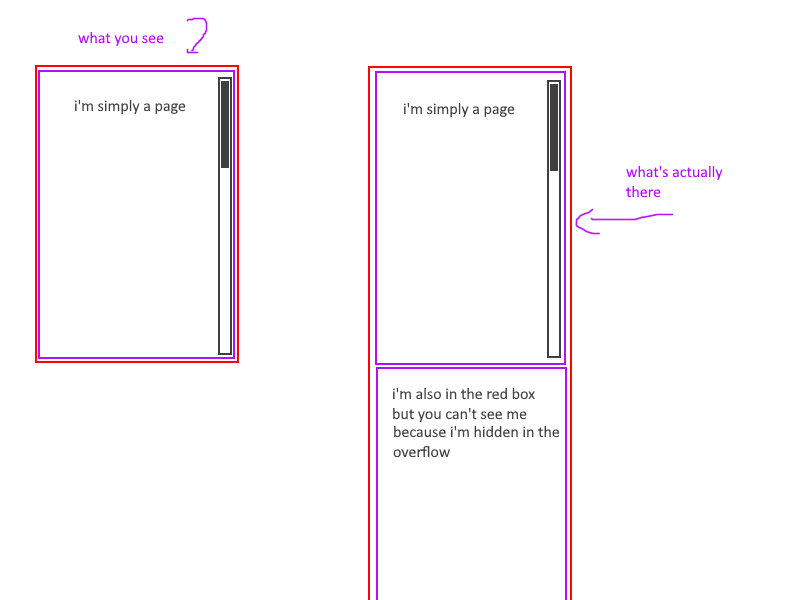
you have one box that’s a container (purple outline) with overflow: hidden, put yr divs inside of it with a height of 100%, use links to navigate. an ID can be used as a link; <a href="#divname">click</a> navigates to the thing on the page with the ID #divname.
hoooopefully the example makes sense, i’m not very good at explaining things verbally haha. i think it looks pretty slick, and you can have everything in one html file. (if you have a lot of content in one html file it can start to lag some code editors; neocities does not like having all of moby dick in one html file, for example, but it works fine in vscode where i actually do my coding and the page itself loads just fine on the visitor end. i imagine different sites have different lag tolerances on the editing end)
i’ve made [.page2] the container, since [.page2] is making the shape of the page. i added a red border to distinguish it and overflow:hidden. i also added this to affect divs inside of [page2];
  .page2 div {border:2px solid purple;
  height:100%;
  overflow:auto;}
and adjusted the divs a little bit.
inside of [page2] there are 2 divs: first [#loremipsum], with your lorem ipsum text, and then [#credits]. both of these have a purple border and a height of 100% (which means they’ll be 100% of the height of [.page2]).
[#loremipsum] is first, so that’s what you see when the page loads. [#credits] is under it in the div, so it’s hidden until the link is clicked to navigate to it.
if you change [loremipsum]'s height to less than 100% of [.page2], you’ll be able to see part of [#credits] under it; if you replace [page2]'s overflow:hidden to overflow:auto it’ll add a scrollbar to [page2] and let you just scroll down to where [#credits] is, that might also help with visualizing what’s actually going on in the divs?
It DOES make some sense, thank you so much! haha Thank you for fixing the code as well!
One last question that’s not totally related but I thought I’d ask lol - can I have my images that are links ( like the music box etc) get bigger when the cursor hovers over them so they stand out? I did find a code and got a few of them to do it, but I don’t know if I can do it because I already have each image in a div class, can each image be in more than one div class?
or you could do .embiggen a:hover {scale:1.5} (this affects links within .embiggen class divs) or
.embiggen img:hover {scale:1.5} (this affects images within .embiggen class divs)
etc. whichever strikes your fancy haha.
if you want to make things smoooooth you can add a small transition timer to things!
.embiggen {transition:0.5s} will make transitions last half a second, so when it transitions to the “hover” state .embiggen:hover {scale:1.5} it’ll grow from normal to big size slowly, rather than switching abruptly between normal and 1.5 scale!
Gaah, I’m trying to do the same thing with the content on the left side and I did something wrong. :( https://codepen.io/marycuntrarian/pen/RNWjYgV I want the “graphics and stuff” to do the same thing the credits page did. Am I missing a div tag or something?
Ahhh I’m going to try the embiggen thing tomorrow and then I’m also going to leave you alone! hehe Thank you so much!!
changed .page1’s overflow-y:scroll; to overflow:hidden - page1 is a container now, like page2!
changed .page2 div { height:100%; overflow:auto;}
to .page2 div, .page1 div { height:100%; overflow:auto;}
so the divs in both pages behave the same way
put contents of page1 into divs, not just the graphics n stuff ! - i encased the intro in <div id="intro"> & changed its nav link to <a href="#intro"> accordingly - you had it set to go to #page1, but page1 is a class (.page1) and not an id (#page1) so it wouldn’t go anywhere!
I’m so sorry but is there anyway you could please help me unfuck my code again? lol It’s for a different page. Idk if I should make a new post but I don’t want to keep spamming the board!
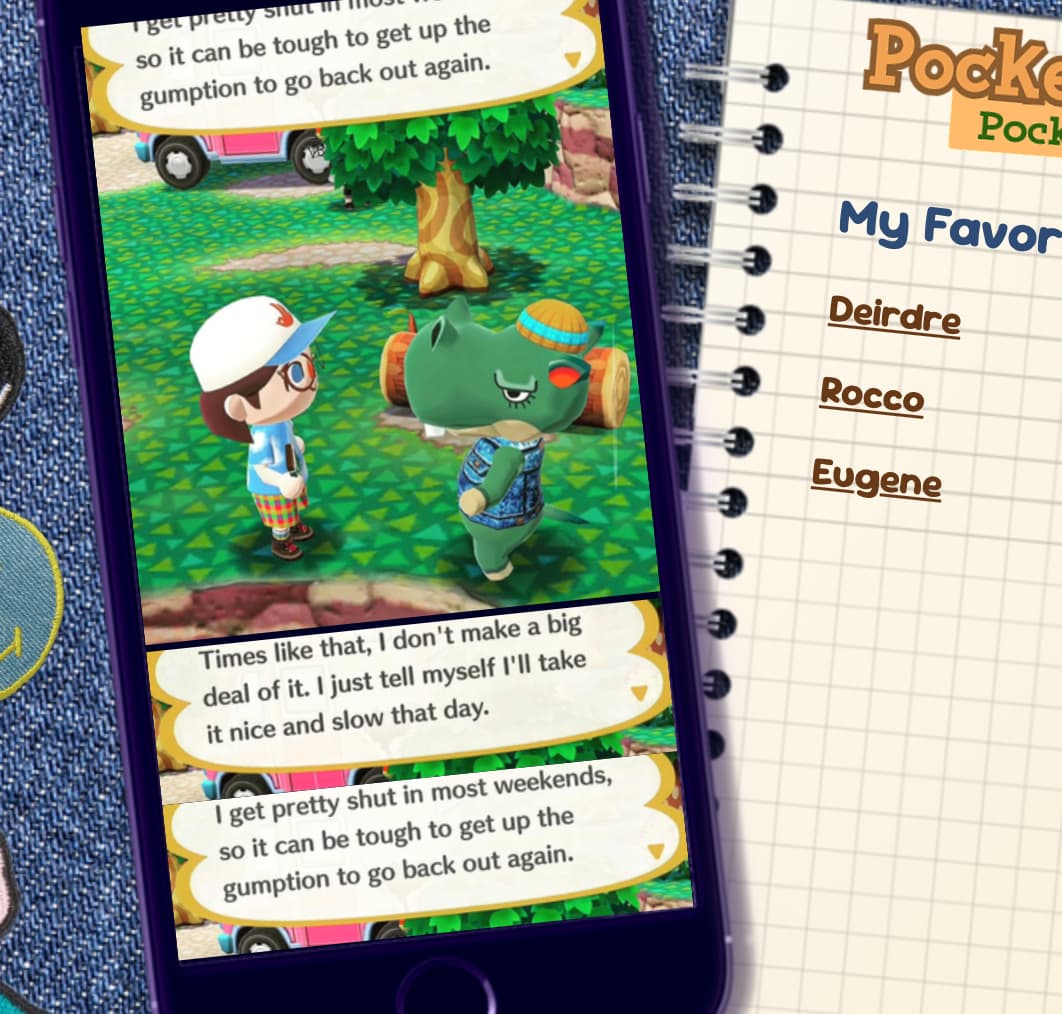
I managed to make it work on my last page but I’m trying to get the photos on the left on the phone to change with each name link on the notebook. I’m sort of in the right direction but I think I broke my page lol I’d appreciate any help! https://codepen.io/marycuntrarian/pen/gbavgZb
I am totally unable to help but! Just wanted to say that I love the Secret Garden page and @xixxii I love that you made an image of the day embed on your public domain site. So so cool.
it looks like the main problem is just that .phonescrollbox doesn’t have a height or width, so it doesn’t understand what is and isn’t “overflow” ! giving it a set height and width mostly fixes the trouble, just needs some additional positioning fixes i think. something that i find helps a lot when divs are doing something unexpected is to add a big bright colored border to everything while i’m working; it helps keep track of where things are and how big they are.
with the container sized properly you don’t need the inline-styled divs, which helps tidy the code up a little bit.
in terms of general unfucking: for this type of absolute-positioning stuff where things need very specific sizes, you may find things easier to manage with box-sizing:border-box - just makes things a little easier so you don’t need to do mental math to account for padding. & instead of individually sizing every image in the div inline (<img src="https://i.postimg.cc/V65116sG/d3.png" width="259">), you can just do it with css, like so:
.phonescrollbox img {max-width:100%;}
this tells images inside of .phonescrollbox to never be wider than .phonescrollbox is, so
you have more flexibility for adjusting the size of the div. not super helpful here since you’ve done the work of typing it out already, but useful for future work hopefully!
that seems to be because .phonescrollbox has a height of 469px and .phonescrollbox div has the height set to 398px; that leaves 71 pixels of space, where it’s trying to show the next div after the first one. if you set the height of .phonescrollbox div to 100% it solves that.
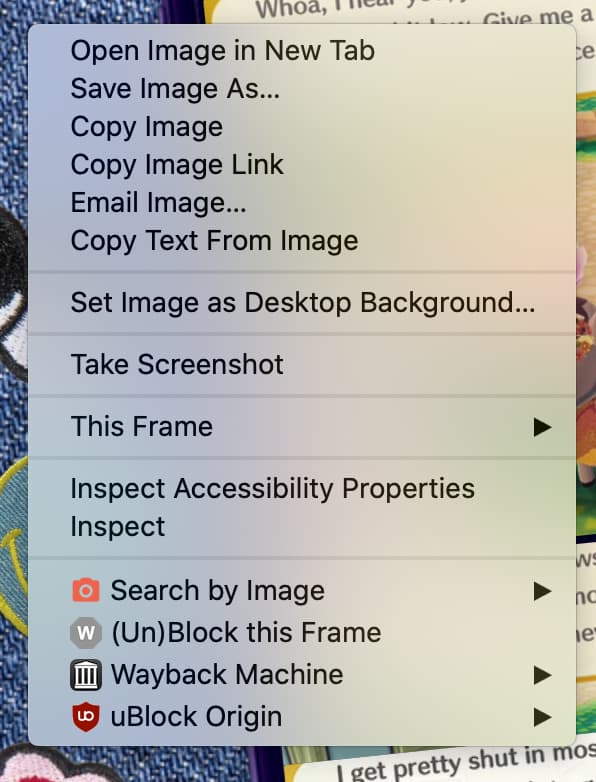
if you right-click in your browser and use the “inspect” function, you can hover over elements on a page to identify what they are in the code - useful for troubleshooting these types of problems!
It’s so weird, it seems like now it’s only happening in Chrome? I cleared my cookies and my cache too. I fixed the code and it works fine in Safari, why does Chrome hate me? lol I might just scrap the in page content and make a new page for each part, if it’s going to do this. Thank you for all your help though!!
how odd! tweaking the codepen works fine for me on firefox and on chrome… maybe a version thing though, im on my laptop and it doesn’t have the latest version of chrome (OS too old). browsers are mysterious and disagreeable beasts. i don’t do browser compatibility checks for anything besides my premade layouts so alas im no help with that type of troubleshooting! i i hope you can figure out a solution you’re happy with for the page, though
im on the latest version of firefox and setting the height of .phonescrollbox div to 100% like @xixxii mentionned makes it work correctly on the codepen


 browsers are mysterious and disagreeable beasts. i don’t do browser compatibility checks for anything besides my premade layouts so alas im no help with that type of troubleshooting! i i hope you can figure out a solution you’re happy with for the page, though