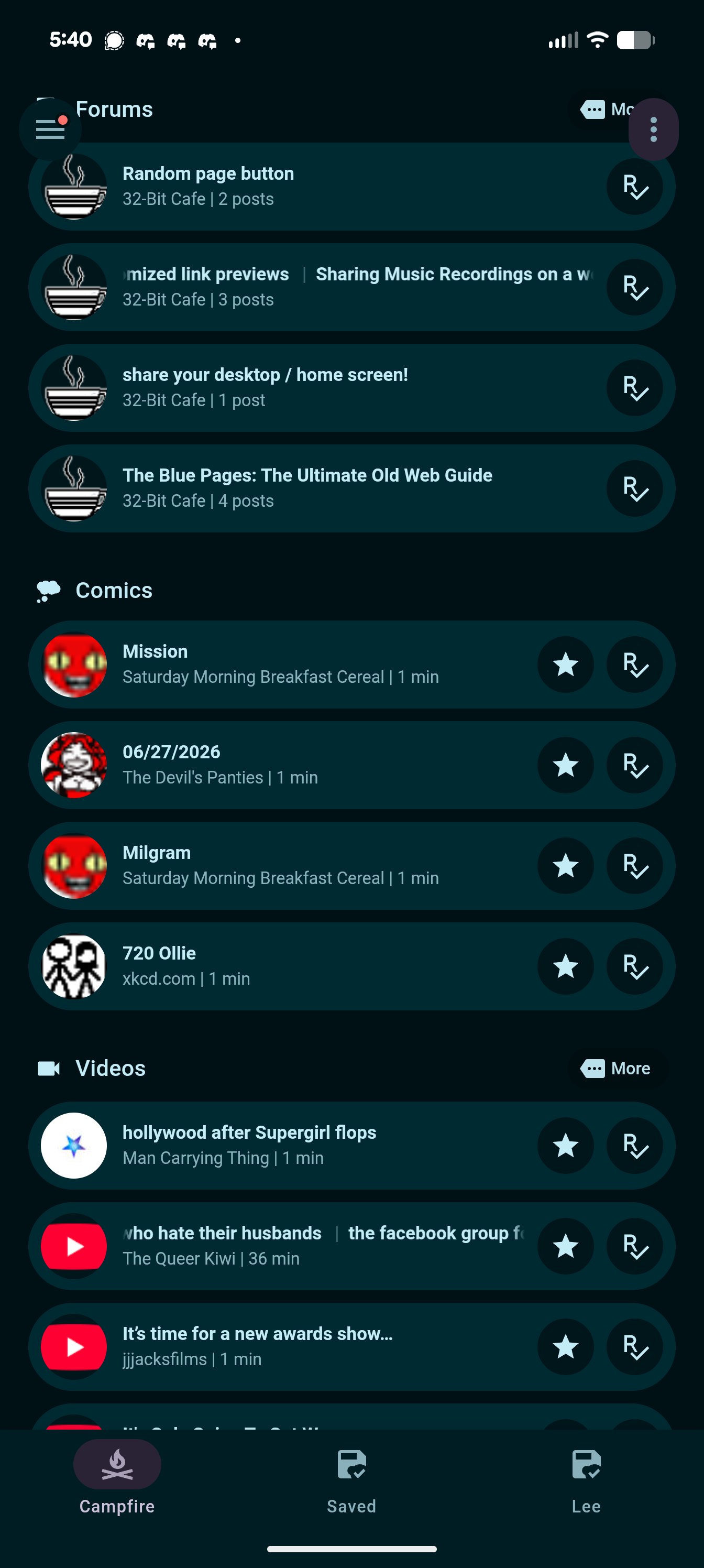
I have been iterating on this system I call “campfire” after reading Terry’s article on phantom obligations. Basically, there is more things I’ll likely enjoy than I’ll ever have time to consume, so things like unread counts and otherwise imposing a sort of obligation to read/consume things isn’t useful or helpful.
With that in mind, campfire is an interface I built in Home Assistant (although I built an earlier prototype in Silver Bullet) that pulls data from Miniflux and shows the most recent couple items from each category, with buttons to see a couple more from each category. Items are removed if unread over a week, and I handle forums specially to only show unread threads one time, even if the rss reader has multiple unread posts for that thread.
Each button opens it in miniflux except for threads, and the save button sends it to wallabag, a read it later service for things I know I wouldn’t mind reading even if it’s “stale”. This setup let me follow quite a few blogs, including active ones, and just be okay with items “expiring” if it didn’t interest me enough to read in time. I do leave a lot in the limbo of “don’t want to read it now, I don’t want to save it, but I’ll leave it and reconsider later if it hasn’t expired yet”.
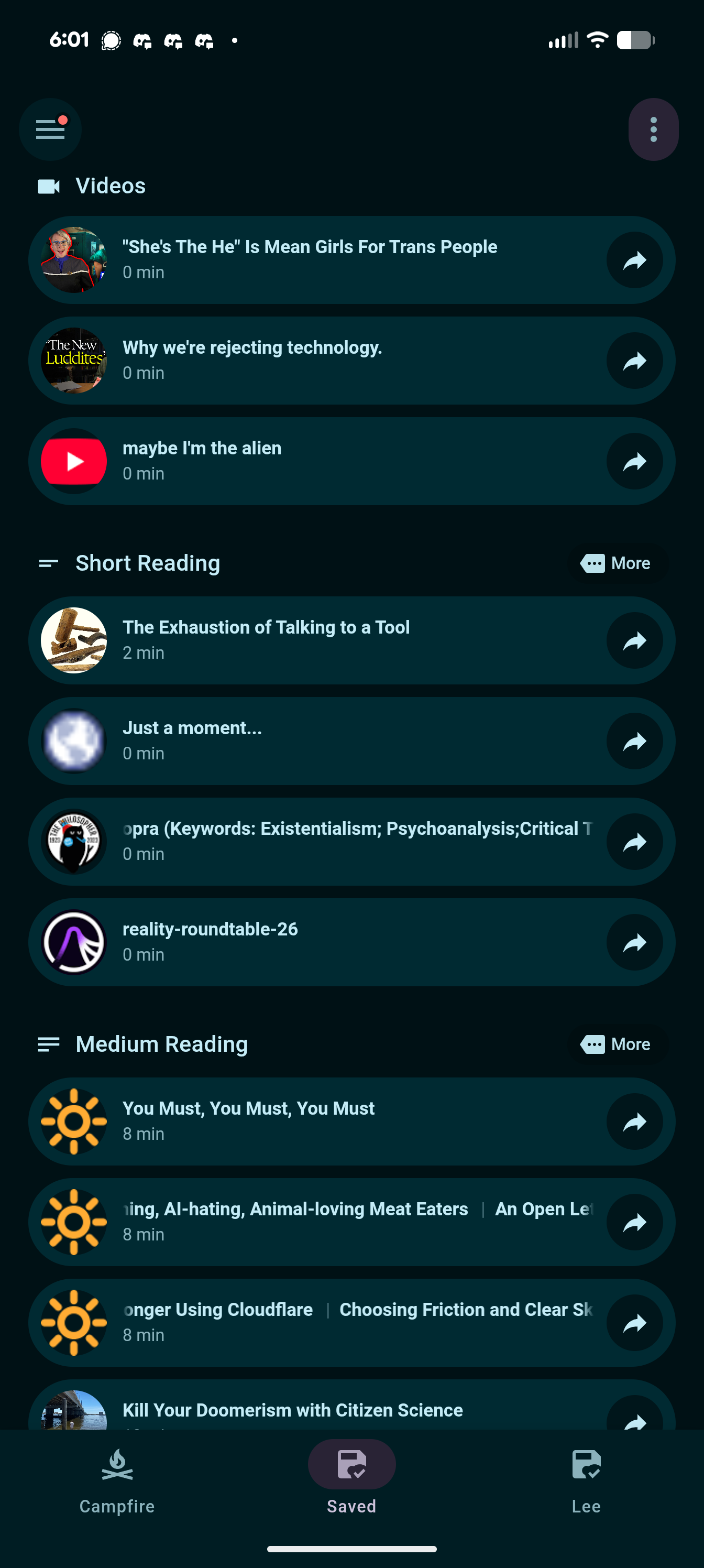
I expose the wallabag items by category as well, without unread counts. At some point I’d also like to randomize the list so it’s less like a backlog. It should just be a place to see things I think I’d enjoy getting to at some point. It is similar to a “To Be Read” list. Also, the action on each item toggles whether or not it’s something to read with my partner, which gets a separate tab.
Categories were chosen based on some things, like threads, I like to read quickly and consistently. Other categories are because the context in which I’m in often dictates if I can watch a video or not, so the categories let me skip what I can’t engage with at the time. I used to use topic-based categories and those just weren’t as useful to me. After all, all the topics were already topics I was interested in or else they never would have been added anyways, so I was never wanting to filter out categories like that. Plus medium-based categories are way easier to determine than topic, since most people discuss multiple topics.
In the future I’d also love to include “active conversations” here, like on discord or signal. They could appear like threads and be ignored or opened, while not stale, to participate in. It’s just trickier to do that. You could also show livestreams here that are currently live, like fraidycat does, but I don’t watch any livestreams.
I’ve played around with a standalone app people could use without needing to self host things, but it’s a LOT of work so no promises it’ll ever become something other than a prototype on my computer. If this inrerests you though, Terry made his own (paid, apple only) reader trying to eliminate the sense of phantom obligations: Current.